Quest helper
The Quests section (Ctrl 4) puts quest items, zones and kill areas on the radar and the overlay, and opens the SkyAim Pro Quest Tracker website.
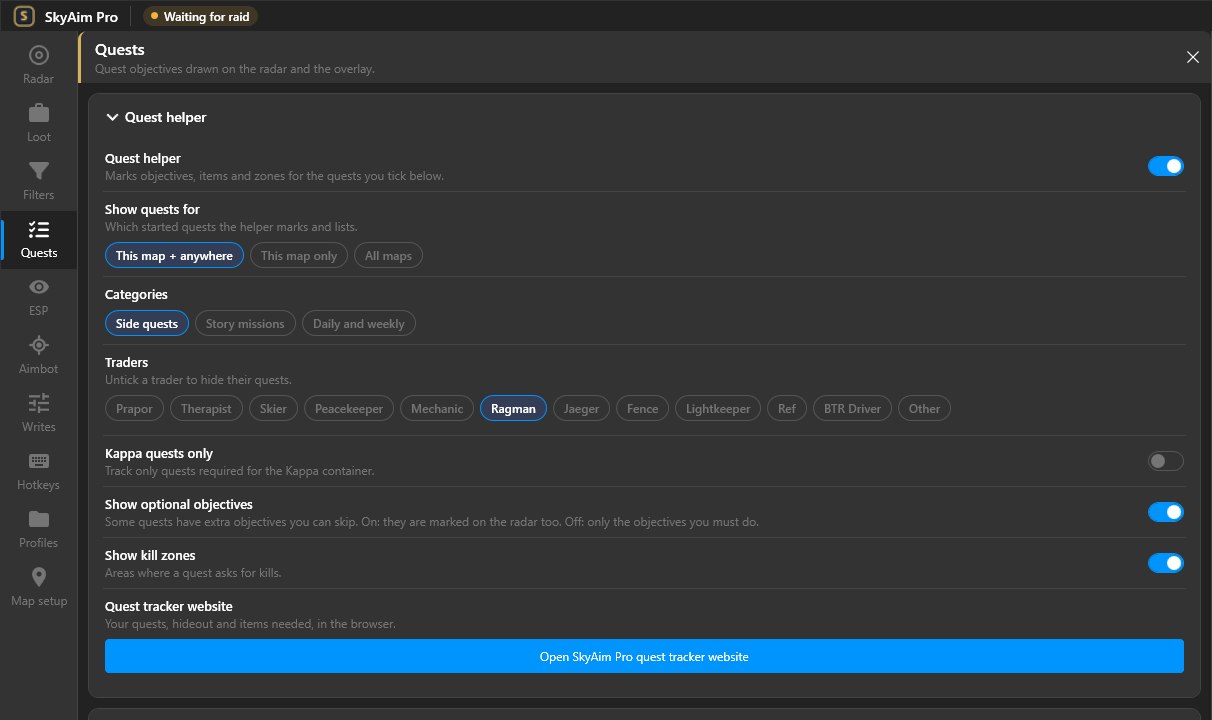
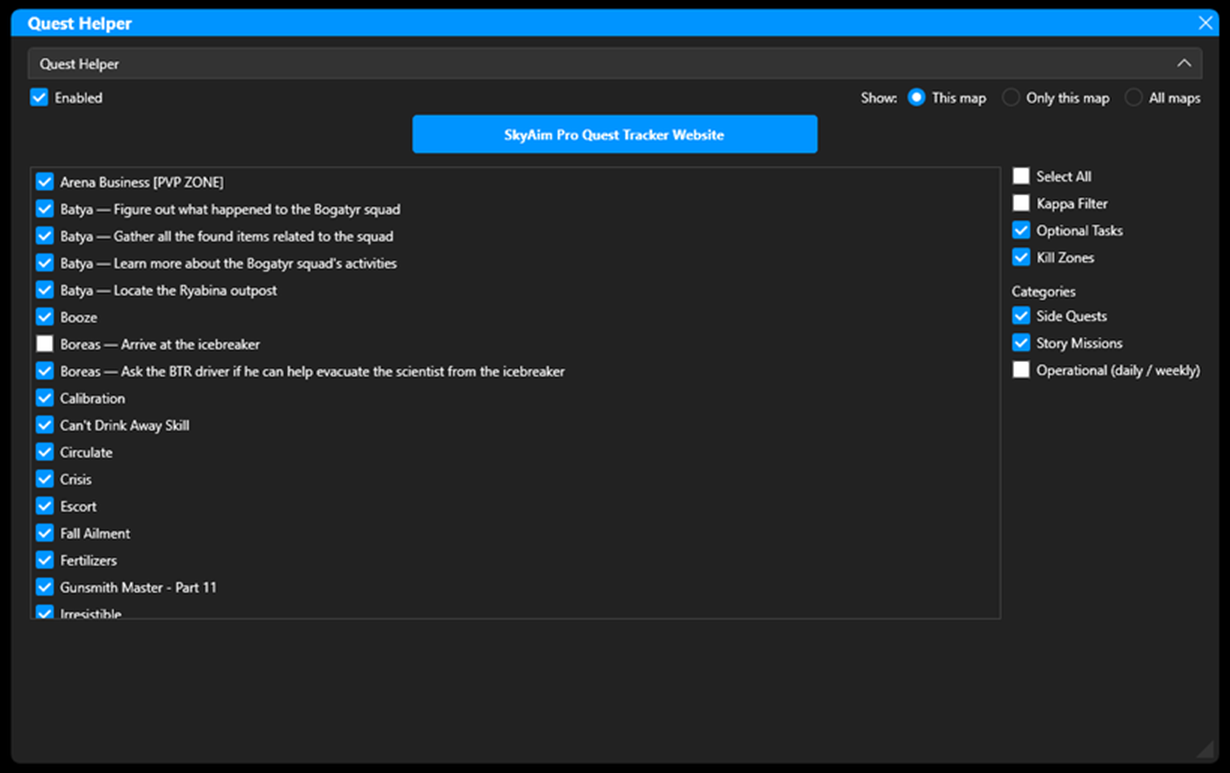
Options#
- Enabled
- Master switch for quest markers on the radar and ESP.
- Show quests for
- This map: quests on the current map plus quests that can be done on any map. Only this map: strictly this map. All maps: everything, useful before a raid to plan.
- Categories
- Side quests, Story missions and Operational (daily / weekly) tasks. Untick a category to hide its markers.
- Kappa quests only
- Limits the list to quests needed for the Kappa container.
- Include optional objectives
- Also marks optional objectives, not just required ones.
- Show kill zones
- Draws the area where quest kills count.
- Select all
- Ticks or unticks every quest in the list.
Tracked quests#
The list shows your active quests with one line per objective. Tick the ones you want on the map. Quests the public database does not know yet are still listed under their real in-game names, with their items, places and kill zones.
Every change in this section is saved the moment you make it. You never need to close SkyAim Pro mid-raid to change quest settings.
SkyAim Pro Quest Tracker website#
Open SkyAim Pro quest tracker website opens your personal tracker page in the browser: all tasks, story chapters, items needed, keys, hideout levels, Kappa progress and achievements, refreshed every 20 seconds. Read the full guide: Quest Tracker website.
Check the FAQ and the launcher message list first. If that does not solve it, send the publisher your newest file from output\Logs (or launcher-update.log for launcher problems).