Loot
The Loot section (Ctrl 2) decides which items appear on the radar and the overlay, and how they are priced.
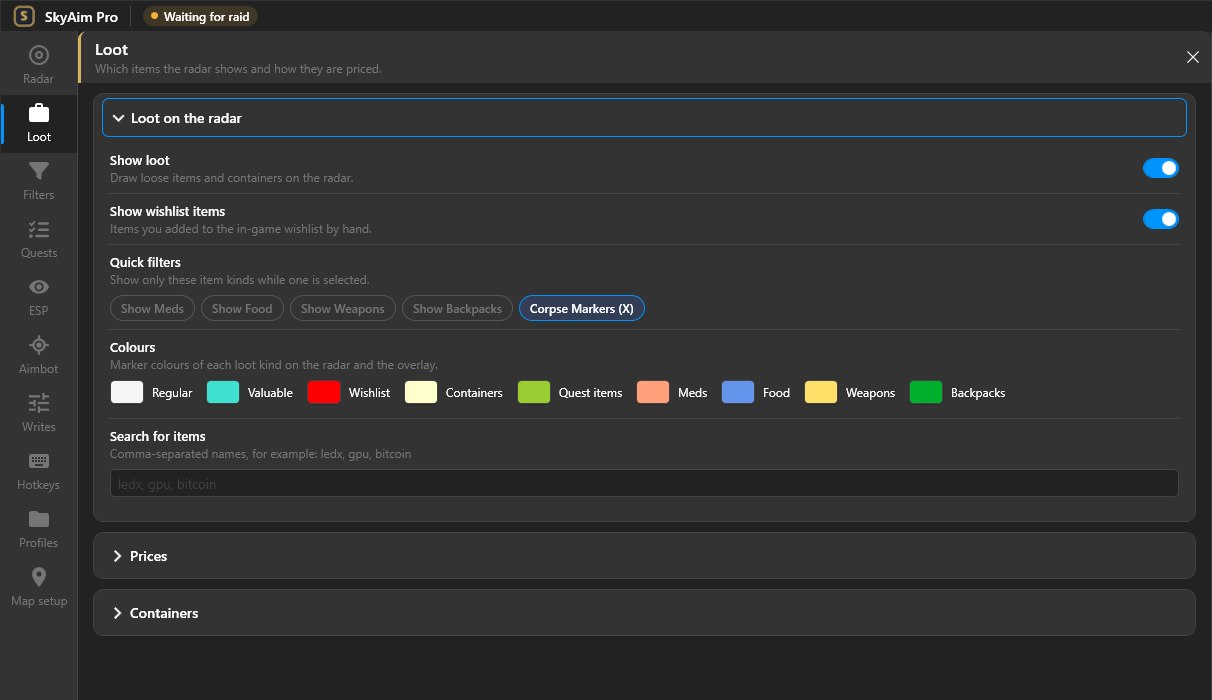
Loot on the radar#
- Show loot
- Master switch for loose loot. Also a hotkey action (Show loot).
- Show static containers
- Crates, jackets, safes and similar. Container types can be picked one by one under Containers.
- Hide searched containers
- Removes containers you already opened this raid.
- Show wishlist items
- Highlights items on your in-game wishlist with the Wishlist colour.
- Minimum corpse value
- Corpses are shown only when the gear on them is worth at least this much.
- Important loot on player / corpse
- Shows a marker when a player or corpse carries an item that matches one of your filter groups.
- Label detail
- How much text sits next to a loot marker: name only, name and price, or short names.
Prices#
- Price source
- Flea market uses the current flea price; Trader uses the best trader sell price. Flea prices are unavailable for items that cannot be listed, so Trader is the safer choice early in a wipe.
- Price per slot
- Values items by price divided by inventory slots. A 2×2 item worth 100k counts as 25k per slot.
- Value range
- Hide below removes cheap items from the map; Important above gives expensive items the Valuable loot style so they stand out.
A value threshold catches expensive items, but keys, quest items and hideout parts are often cheap. Put those in a filter group (next page) so they are shown no matter what they cost.
Quick filters#
One-click switches, also available as hotkeys: Show meds, Show food, Show backpacks, Show weapons. They add that category on top of your value range. The Colours row underneath sets the colour of each loot class (regular, valuable, important, wishlist, quest, container, corpse) and of the four quick filters.
Containers#
Choose which container types appear (weapon boxes, safes, medcases, jackets, duffle bags and so on). Fewer container types means a cleaner map on Interchange and Reserve.
Loot info widget#
An overlay widget that lists the most valuable items near you with their distance. Turn it on in ESP → Widgets or bind the Loot info widget hotkey.
Check the FAQ and the launcher message list first. If that does not solve it, send the publisher your newest file from output\Logs (or launcher-update.log for launcher problems).