Quest Tracker website
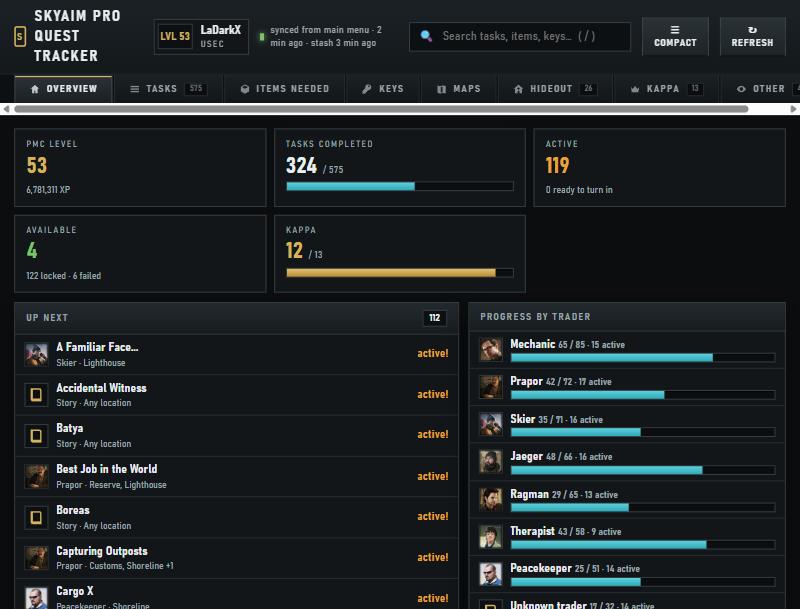
A personal web page built from your own profile. It opens from the Quests section and refreshes every 20 seconds while SkyAim Pro runs.
Opening it#
- Reach the main menu
The tracker reads your profile when the game is at the main menu. Wait about a minute after the menu appears; the console prints
[QuestTracker] menu snapshotwhen it has what it needs. - Click the button
Quests section → Open SkyAim Pro quest tracker website. Your browser opens the page from %APPDATA%\SkyAimPro\Tracker\tracker.html. Bookmark it; it works whenever that file exists.
- Let it refresh
The header shows when the menu and the stash were last synced. The stash is read while you are at the menu, so item counts are updated between raids.
Tabs#
| Tab | Contents |
|---|---|
| Overview | Level and XP, task counters, what is ready to turn in, up-next list, progress by trader. |
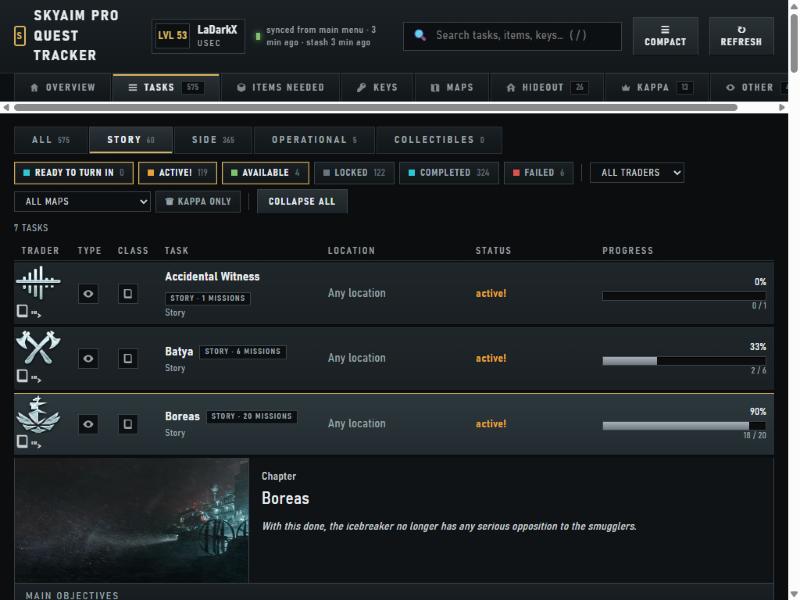
| Tasks | All tasks (side, story, operational) with status, trader, map and objectives as the game shows them. Search with /. |
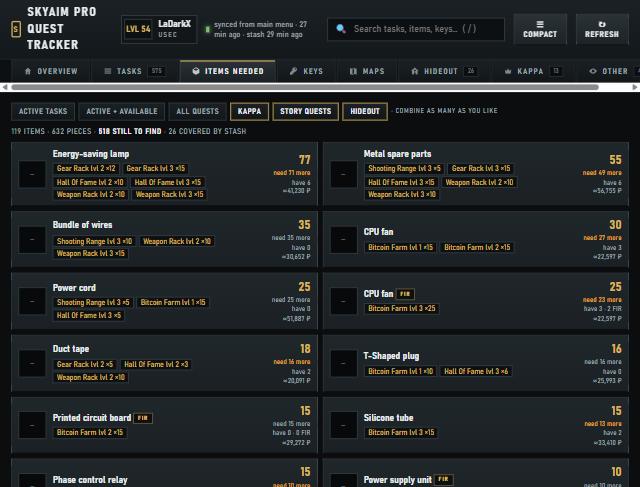
| Items needed | Every item your active quests and hideout upgrades need, how many you have in the stash, FIR requirements and flea price. Scopes combine: Active tasks, Active + available, All quests, Kappa, Story quests, Hideout. |
| Keys | Keys referenced by your quests and which map and room they open. |
| Maps | Objectives grouped per map, so you can pick the raid that advances the most quests. |
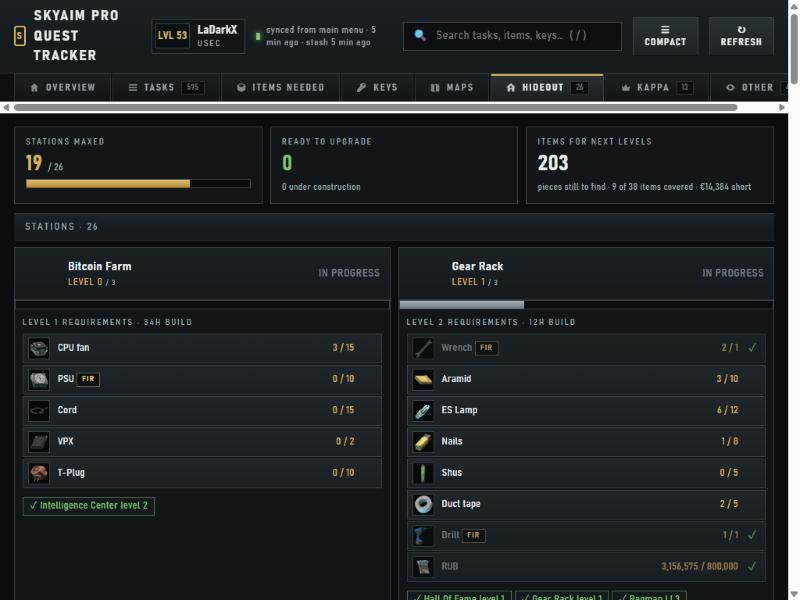
| Hideout | Every station and level with requirements; pick the level to see what is missing. |
| Kappa | The Kappa quest chain and the Collector items you still need. |
| Other / Achievements | Achievements tied to quests, with their status derived from your profile. |
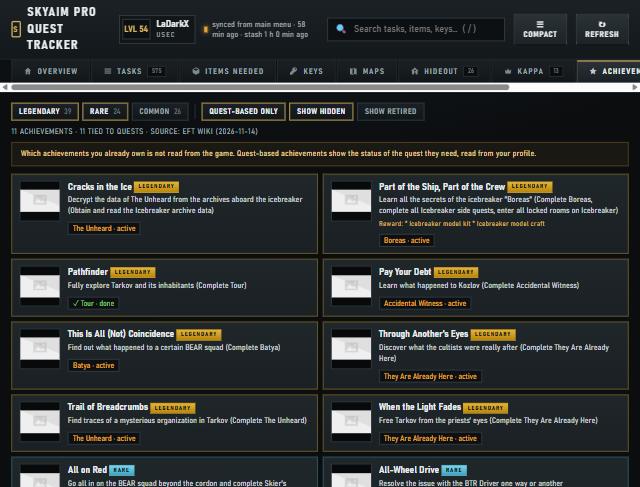
The page reads only files SkyAim Pro writes on your PC. The only network requests are item and achievement pictures from tarkov.dev and the wiki; nothing about you is uploaded.
After an update#
Tracker updates arrive with the app bundle. If the page looks old after a new release, press Ctrl F5 in the browser to drop the cached copy.
Check the FAQ and the launcher message list first. If that does not solve it, send the publisher your newest file from output\Logs (or launcher-update.log for launcher problems).